Pyxen — Press Kit
A complete game-making studio.
Fact Sheet
| Title | Pyxen |
|---|---|
| Publisher | Gargant, an independent studio in France |
| Genre | Game-making studio · Programming · Pixel art |
| Platforms | Web browser · Mac · Windows (pyxen.com) · iPad · Mac (App Store) |
| Released | 23 March 2026 — v26.0, first release (App Store, iPad and Mac) |
| Current version | v26.7 |
| Price | Pyxen, full licence, $39.99, one-time, from pyxen.com: Mac and Windows, one key for 2 computers at once. On the App Store, Pyxen for iPad and Mac is a separate purchase, $19.99 |
| Trial | Free — full editor, three projects of any size; an evaluation watermark on shared and exported games |
| Languages | English, French, German, Spanish, Japanese, Korean, Simplified Chinese |
| App Store | apps.apple.com/app/id6758837354 |
| Website | pyxen.com |
| Bluesky | @pyxen.com |
| Press contact | [email protected] |
Descriptions
Short (30 words)
Pyxen is a complete game-making studio by Gargant. Write code in Pyxen Script, paint sprites, make sounds, rewind time in the debugger, and share a playable link.
Medium (100 words)
Pyxen is a complete game-making studio, in your browser, on Mac and Windows, and on iPad. The whole loop lives in one app: write Pyxen Script, a Python dialect made for games, in a real code editor, paint sprites in a built-in pixel art editor, run the game in a side-by-side preview, and rewind up to 300 frames in the time-travel debugger when something breaks. One tap shares a playable link — recipients open it in a browser, no account, no install. Five complete sample games ship with full source code. Works offline on Mac, Windows and iPad. One-time purchase.
Long
Pyxen is a complete game-making studio in your browser, on Mac and Windows, and on iPad. It launched on the App Store on 23 March 2026 as a single universal app for iPad and Mac; version 26.8 brought it to Windows and the browser, with a full licence from pyxen.com for Mac and Windows.
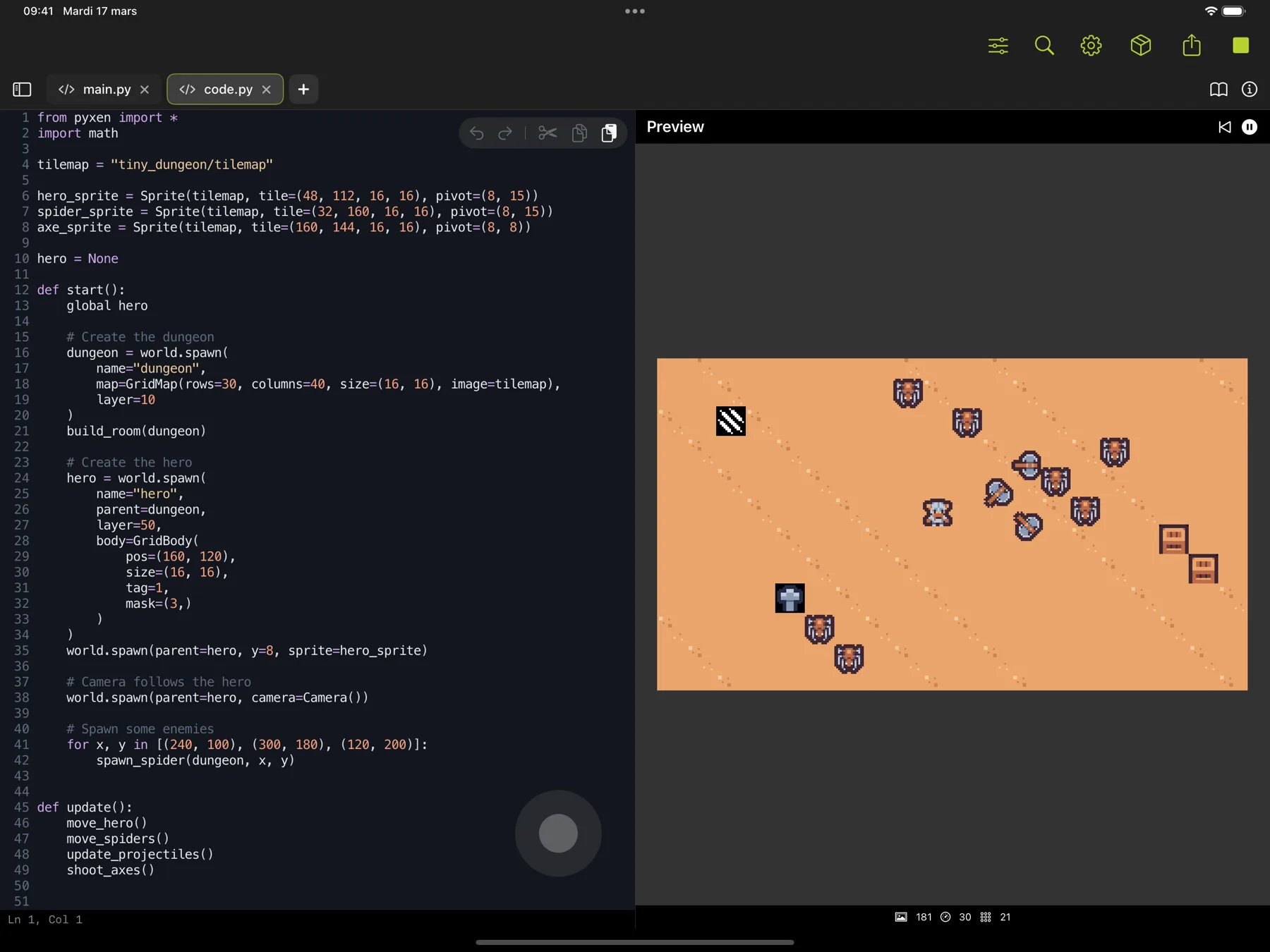
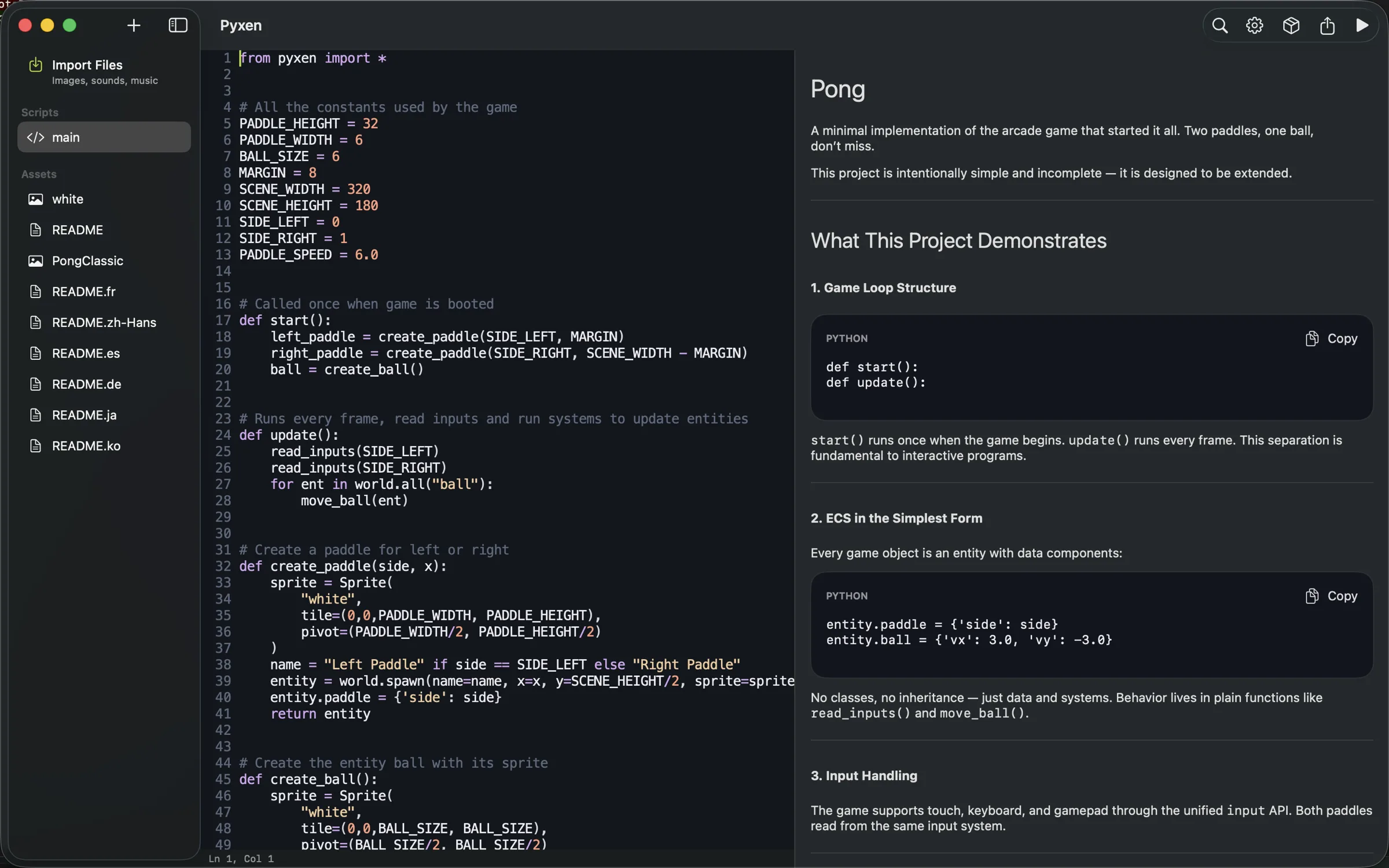
Most game-making apps on iPad fall into two camps: visual block coders aimed at children, or stripped-down code editors that don't actually run anything. Pyxen is neither. It is a real game development environment built around a clean, beginner-friendly Python API and a high-performance C++ ECS engine, with a native code editor, sprite editor, and game preview in a single document-based app.
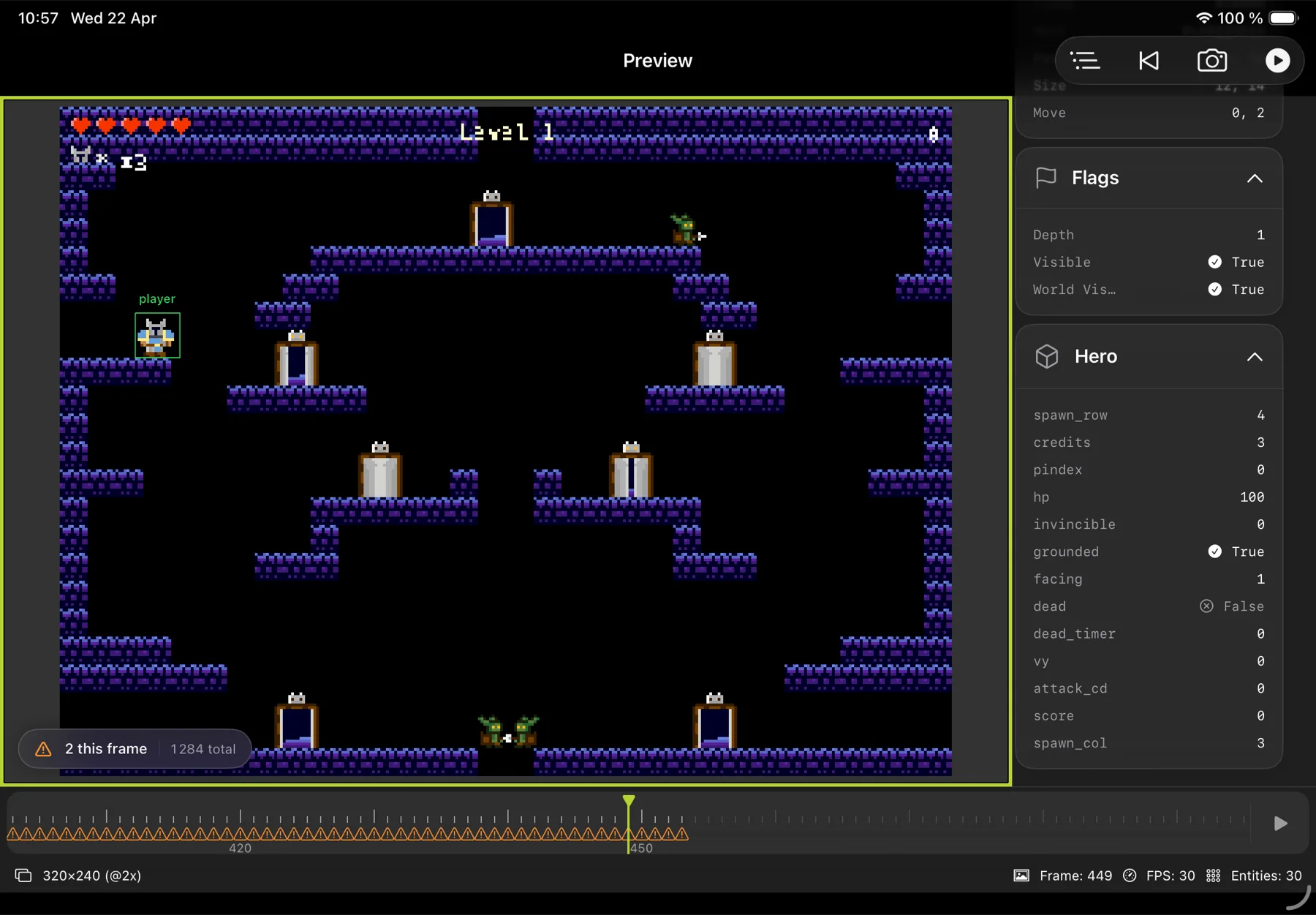
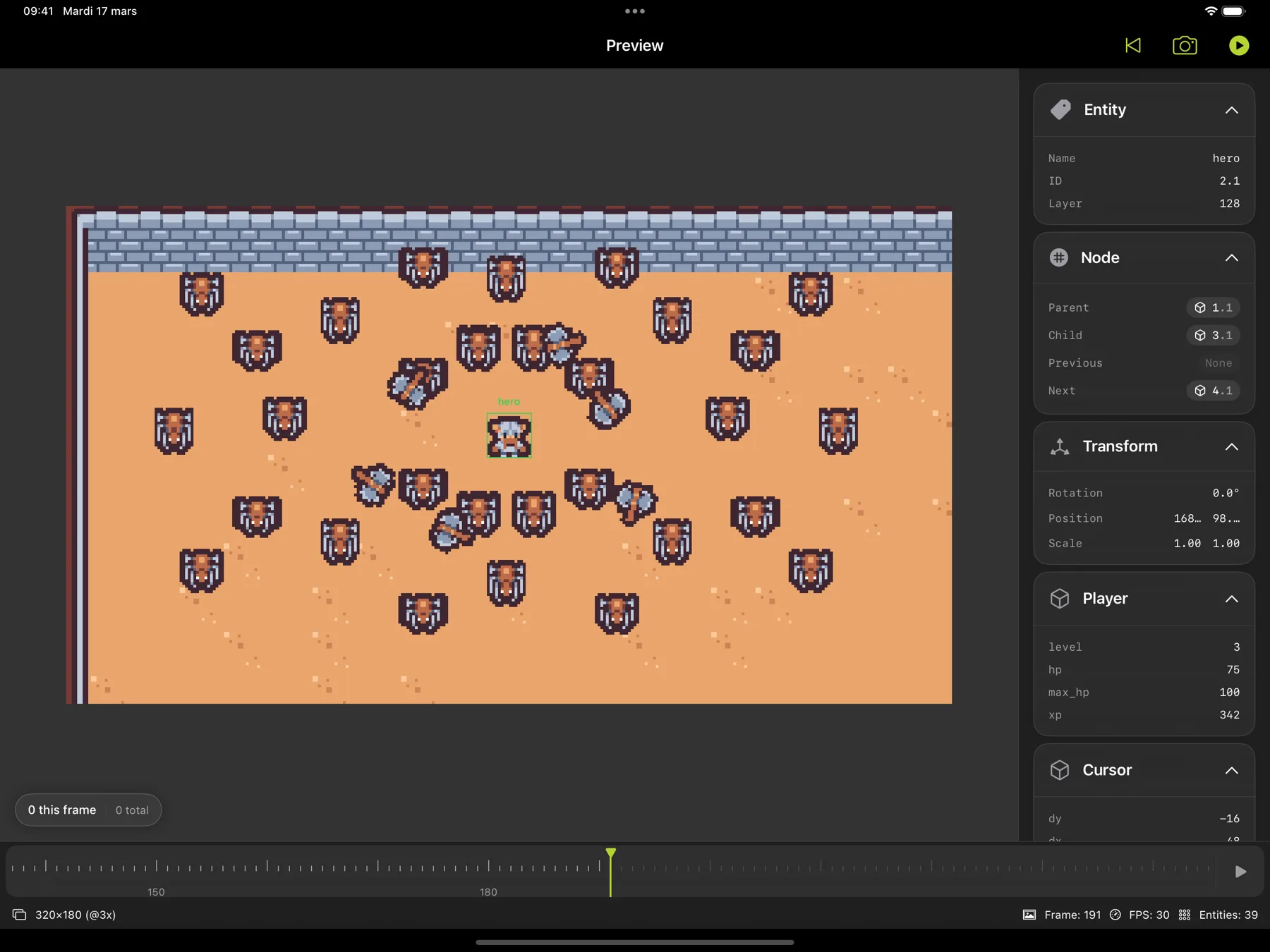
The build-run-debug loop is fast: write code, tap Run, see the game running on the same screen. Edit a sprite and the change appears in the running game on reload. When something breaks, the time-travel debugger steps back up to 300 frames so you can inspect every entity, component, transform, and state change frame by frame.
Sharing a finished game is a single tap. Pyxen uploads the project as a WebAssembly build to play.pyxen.com and gives you a playable link — recipients open it in a browser, no account, no install. The same export ships as a self-contained web archive that can be hosted on itch.io or anywhere else, so a game made on iPad lives outside the app and outside the App Store.
Five complete sample games ship in the app with full source code: Pong, Game of Life, Particles, Platformer, and Dungeon Survivors. Four public-domain pixel art asset packs are bundled. Every sample is a working starting point — read it, fork it, modify it.
Pyxen works offline. Projects are regular .pyxen files (ZIP archives) that work with Files, iCloud, AirDrop, and any cloud sync the user already uses; the app does not require an account and contains no ads or analytics. The free download is the full editor with up to three projects of any size, and games shared or exported from it carry an evaluation watermark; the one purchase lifts both.
Key Features
- Python game engine — Pyxen Script, a Python dialect made for games, with a clean API and a high-performance C++ ECS core
- Code editor — syntax highlighting, smart indentation, autocomplete, jump-to-symbol, jump-to-definition, touch-optimized on iPad and keyboard-first on Mac
- Game preview — side-by-side live preview, configurable resolution (presets from 128×128 to 1920×1080, or a custom size)
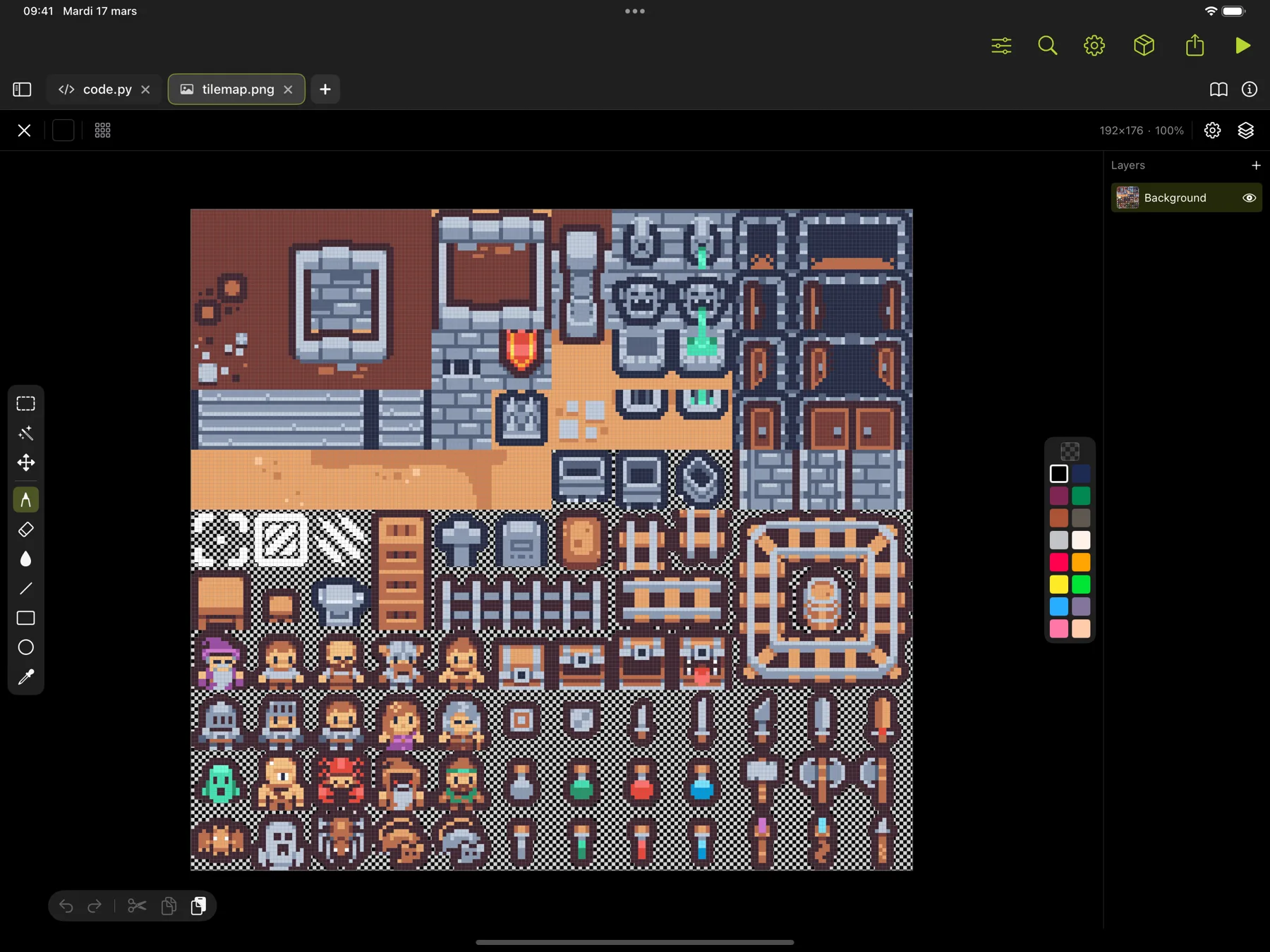
- Sprite editor — full pixel art tool with layers, selection, animation timeline with onion skin, symmetry, flip/rotate, palettes, eyedropper
- Time-travel debugger — step back up to 300 frames, inspect entities, components, transforms, and scene graph
- Instant Share — one-tap share to play.pyxen.com, no account, no install
- Web export — self-contained WebAssembly archive for itch.io or self-hosting
- Sample games — Pong, Game of Life, Particles, Platformer, Dungeon Survivors with full source
- Asset packs — 4 public-domain pixel art packs included
- Asset workflow — drop in PNG sprites, import OGG/MIDI/MOD/XM/IT/S3M music
- Native documents — .pyxen files work with Files, iCloud, AirDrop
- Input — keyboard, mouse, trackpad, gamepad
- Everywhere — the same project files work in the browser, on Mac, Windows and iPad
- Offline — editing, running, and debugging work without a connection
Screenshots
High-resolution PNGs. Click a thumbnail to open the full-size image, or right-click to save.
Logos
The Pyxen app icon doubles as the product mark for press use.


About the Publisher
Pyxen is made by Gargant, an independent studio in France that makes creative tools. Gargant has been shipping software since 2011, with no investors. Its other apps include Qwartz, Smudjo and Reflow.
Contact
@pyxen.com on Bluesky
For review copies, interview requests, or additional assets, email directly.